> For the complete documentation index, see [llms.txt](https://docs.mechcloud.io/llms.txt). Markdown versions of documentation pages are available by appending `.md` to page URLs; this page is available as [Markdown](https://docs.mechcloud.io/cloud-computing/cost-explorer/aws.md).
# AWS
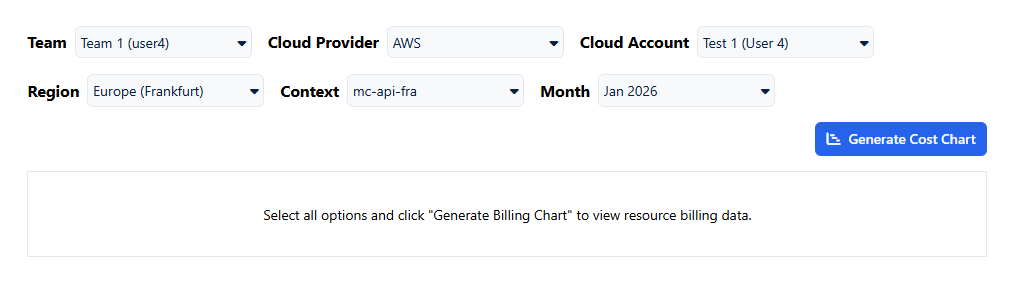
This page documents the AWS-specific setup and supported resources for Cost Explorer (Gantt).
## Step 1: Add Your AWS Account
Cost Explorer (Gantt) requires your AWS account to be added to MechCloud. Follow the AWS onboarding guide to connect your account:
[Add AWS Account](/cloud-computing/add-an-account/aws.md)
## Step 2: Configure IAM Permissions
The IAM role created during AWS onboarding must include the following policy:
```json
{
"Version": "2012-10-17",
"Statement": [
{
"Sid": "CostExplorerPermissions",
"Effect": "Allow",
"Action": [
"cloudtrail:LookupEvents",
"tag:GetResources",
"ec2:DescribeInstances",
"ec2:DescribeVolumes",
"ec2:DescribeRegions",
"lightsail:GetInstances",
"lightsail:GetBundles"
],
"Resource": "*"
}
]
}
```
Without this permission set, timelines may appear incomplete.
## Step 3: Create a Resource Context
A Resource Context defines the logical boundary within which Stateless IaC and related visualizations operate. Follow the Resource Context setup guide:
[Resource Context](/cloud-computing/stateless-iac/resource-context.md)
## Step 4: Provision Infrastructure Using Stateless IaC
Once the AWS account and Resource Context are configured, infrastructure can be provisioned using Stateless IaC. All resources created using Stateless IaC are logically bound to the selected Resource Context.
Follow the Stateless IaC authoring guide:
[Stateless IaC for AWS](/cloud-computing/stateless-iac/aws.md)
## Using Cost Explorer
### Selecting Time Range and Month
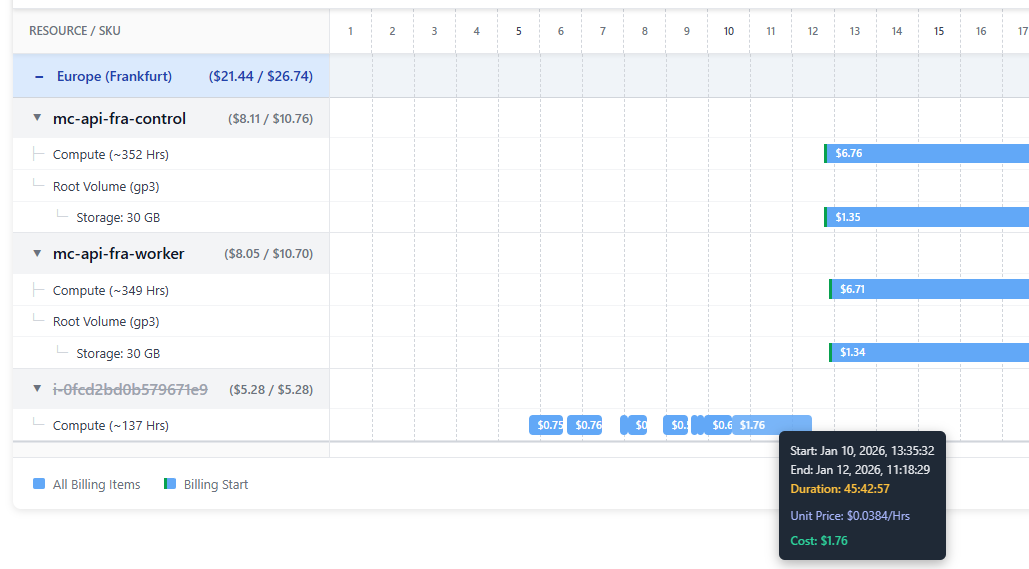
Cost Explorer supports visualization of AWS cost for the last three months, including the current month. Only a single month can be visualized at a time.
Use the month selector at the top of the screen to choose the month you want to analyze. When you switch months, the timeline reloads to display the selected month's cost data.
For historical months, the timeline displays final billing values. For the current month, the timeline shows both accumulated cost and projected estimates.
### Live Only vs All Resources (Current Month Only)
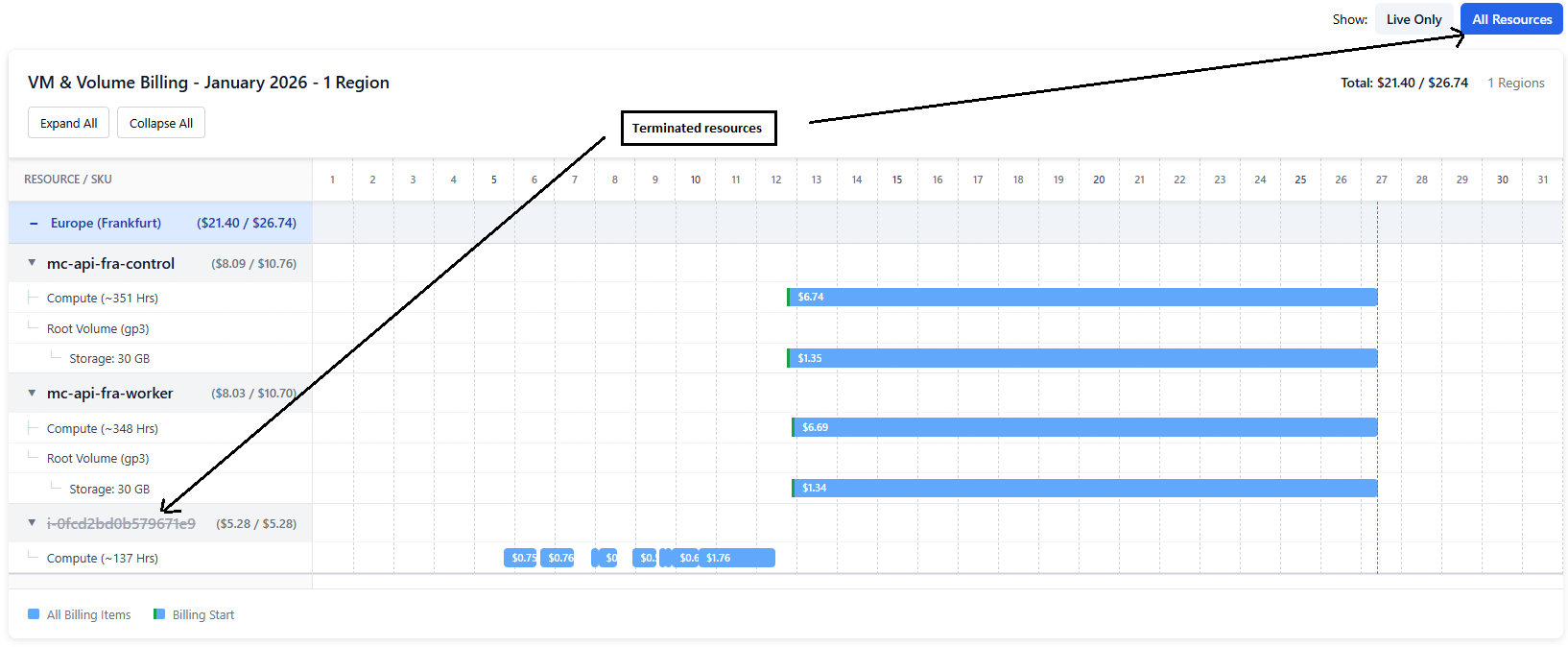
For the current month, Cost Explorer provides two viewing modes:
**Live Only** mode shows only resources that are currently active. Use this to check the cost of your running infrastructure.
**All Resources** mode includes both active and terminated resources. Terminated resources are displayed using striked-out text. Use this to see costs for resources that were terminated during the current month.
For previous months, only a single view is available showing all resources for that period.
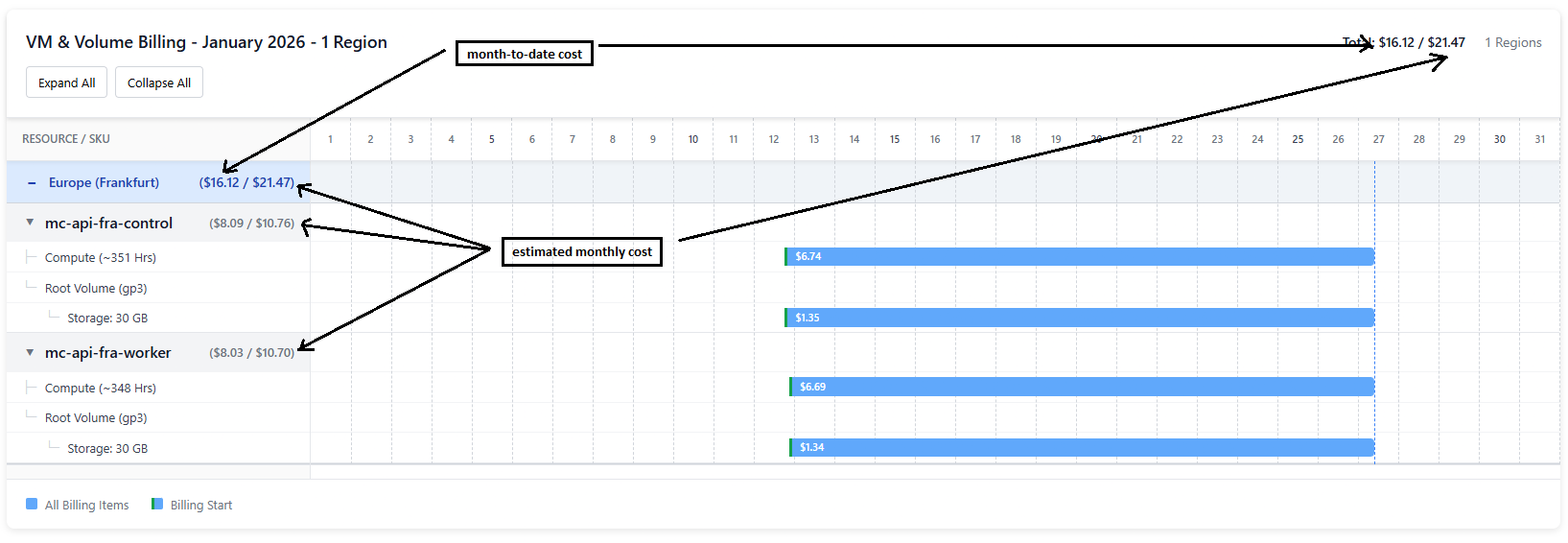
### Understanding Month-to-Date and Estimated Monthly Cost
For the current month, Cost Explorer displays two values:
* **Month-to-date cost**: Actual accumulated spend up to now
* **Estimated monthly cost**: Projected total if current usage continues
For non-current months, both values are identical since billing data is complete.
### Understanding Tooltip Information
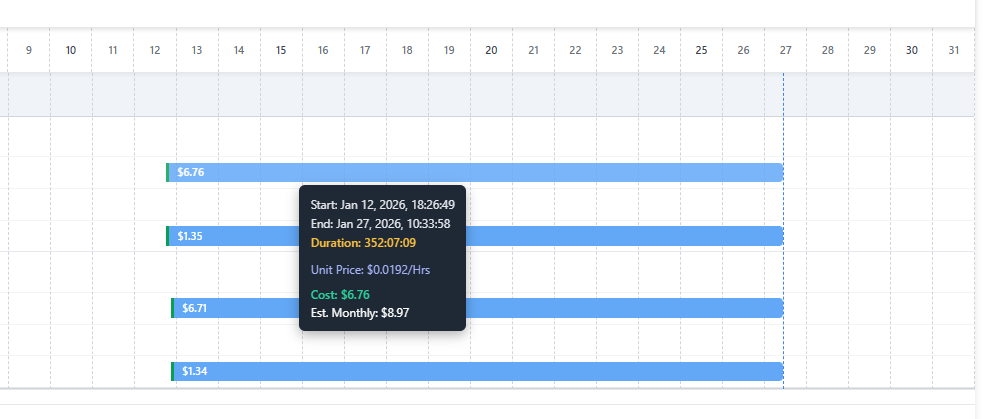
Hovering over any bar in the timeline displays a detailed tooltip containing start time, end time, total duration, unit price, and incurred cost.
For active resources, the tooltip also shows the estimated monthly cost.
For terminated resources, only the actual incurred cost is shown.
## Demo
{% embed url="" %}